
Phone Call Transcription
Dealership Drive offers automatic call transcription for all calls made through a provisioned phone number. Each call is converted into a written, time‑stamped transcript you can review, search, and share—no manual recording or note‑taking required.
What’s included
Full call transcript: Time‑stamped, speaker‑labeled text of the entire conversation
Speaker list: Everyone on the call, including saved contacts and teammates
Call summary: Key discussion points for each speaker
Searchable text: Instantly find phrases, questions, or topics
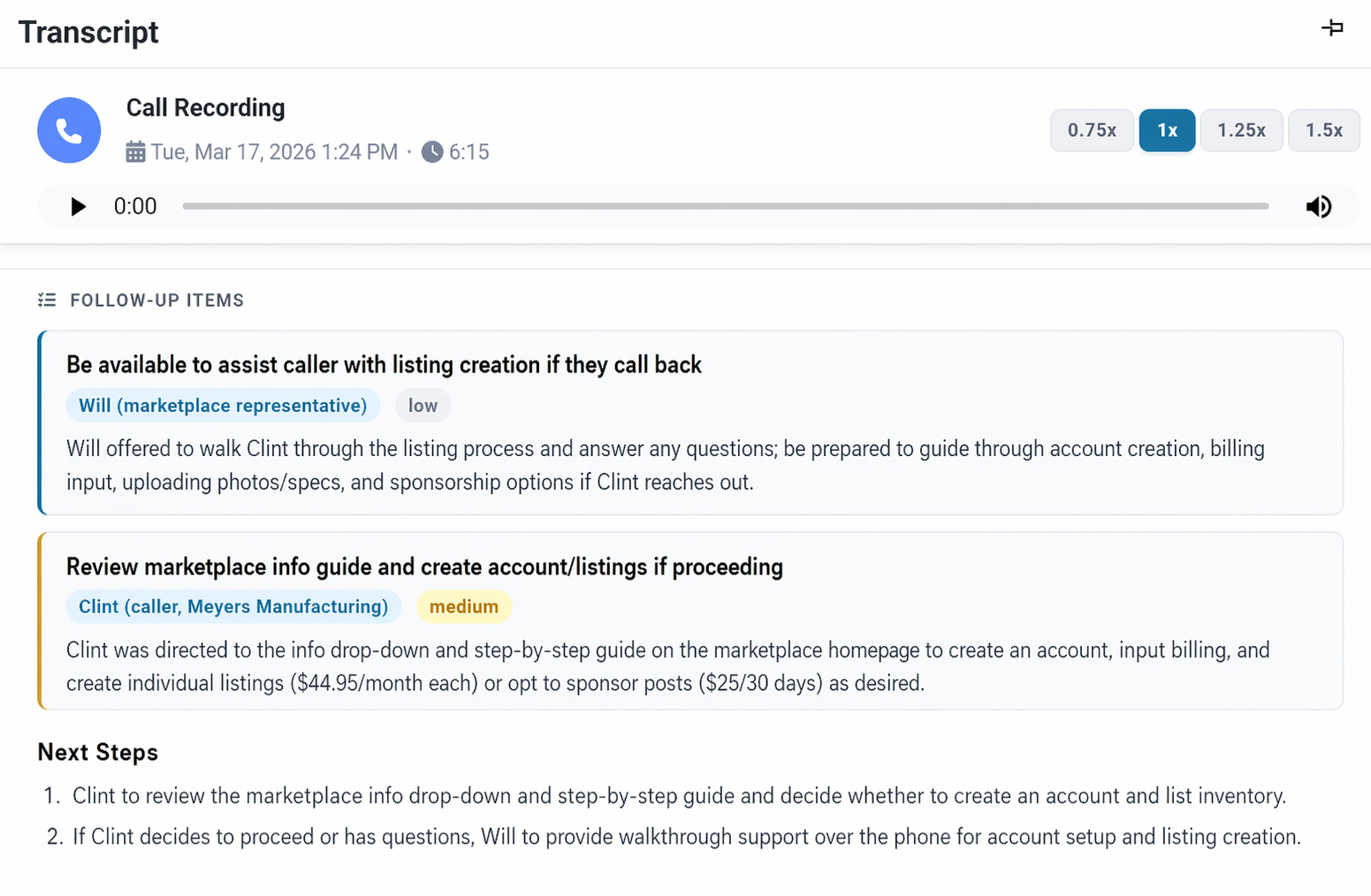
Next steps: Action items pulled directly from the call
Why it matters
Call transcription helps your team stay focused during conversations and move faster afterward. You can reference exact wording, confirm details, and hand off calls without replaying audio. It also provides a reliable record for customer requests, training, performance reviews, and resolving disputes.
How to use it
Under "Sales Desk", go to your "Lead Inbox" and select the phone call you want to review.
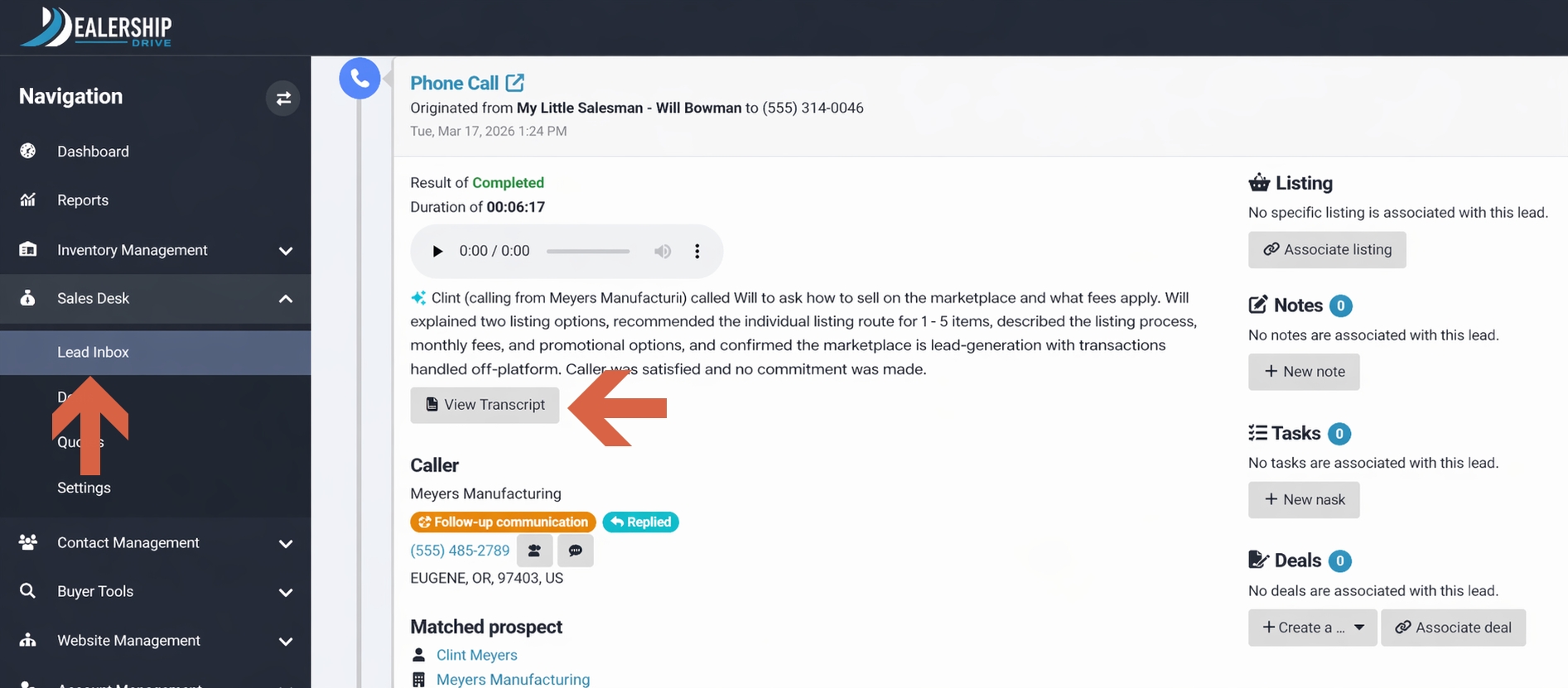
You’ll see a brief summary of the call. To view the full transcript, full call summary, speaker list, and follow‑up items, click “View Transcript.”
View Transcript
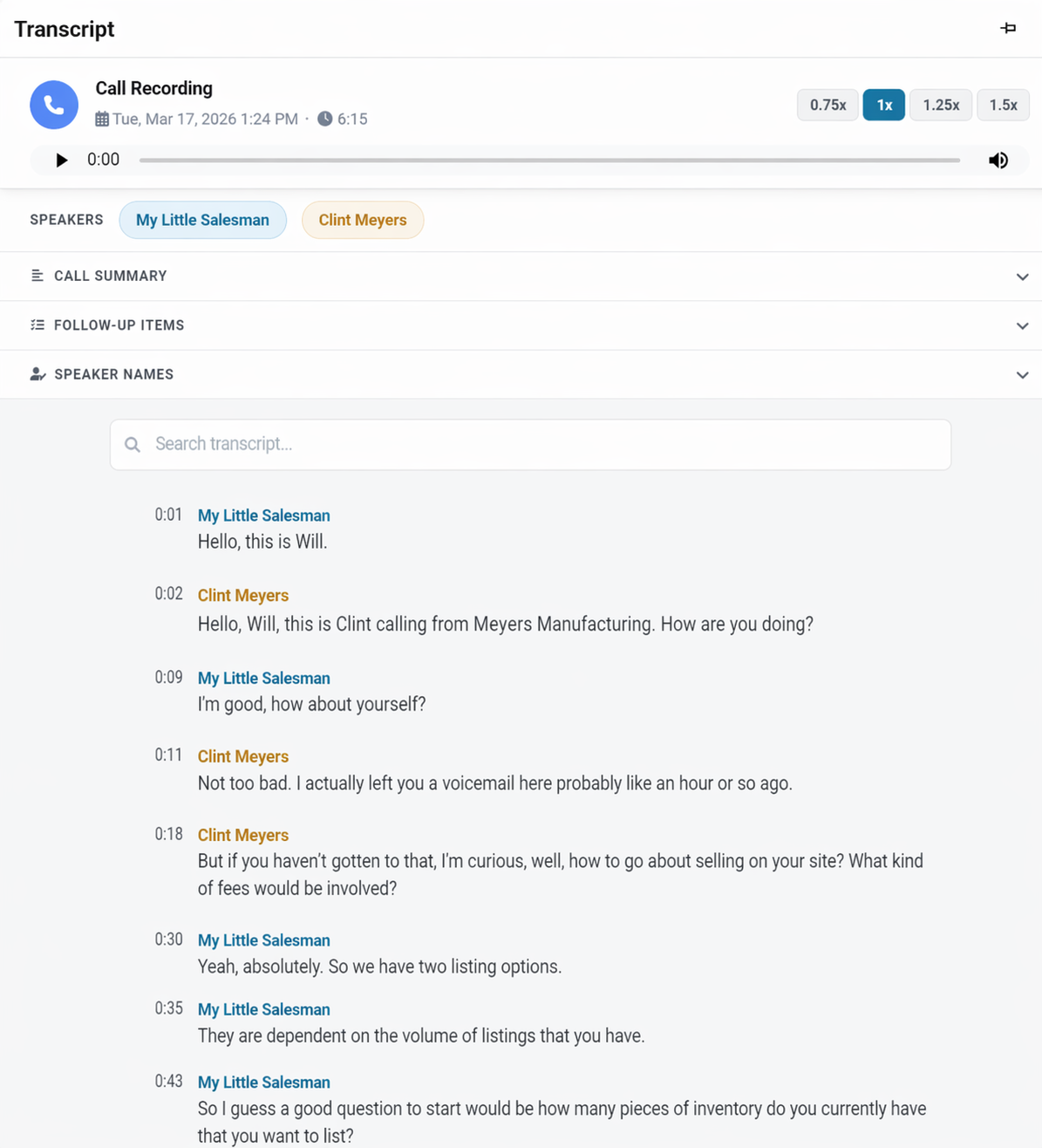
You can listen to the call, read the transcript, and jump to specific sections to replay or review just that part.
Call Summary
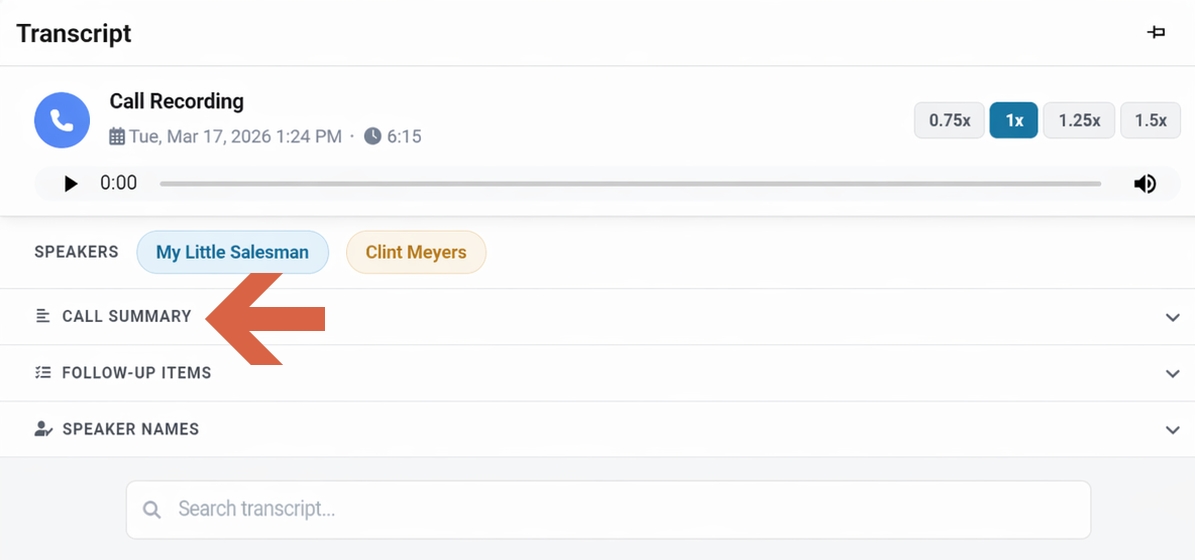
To view the call summary — including key points, customer intent, and the outcome — click “Call Summary.”
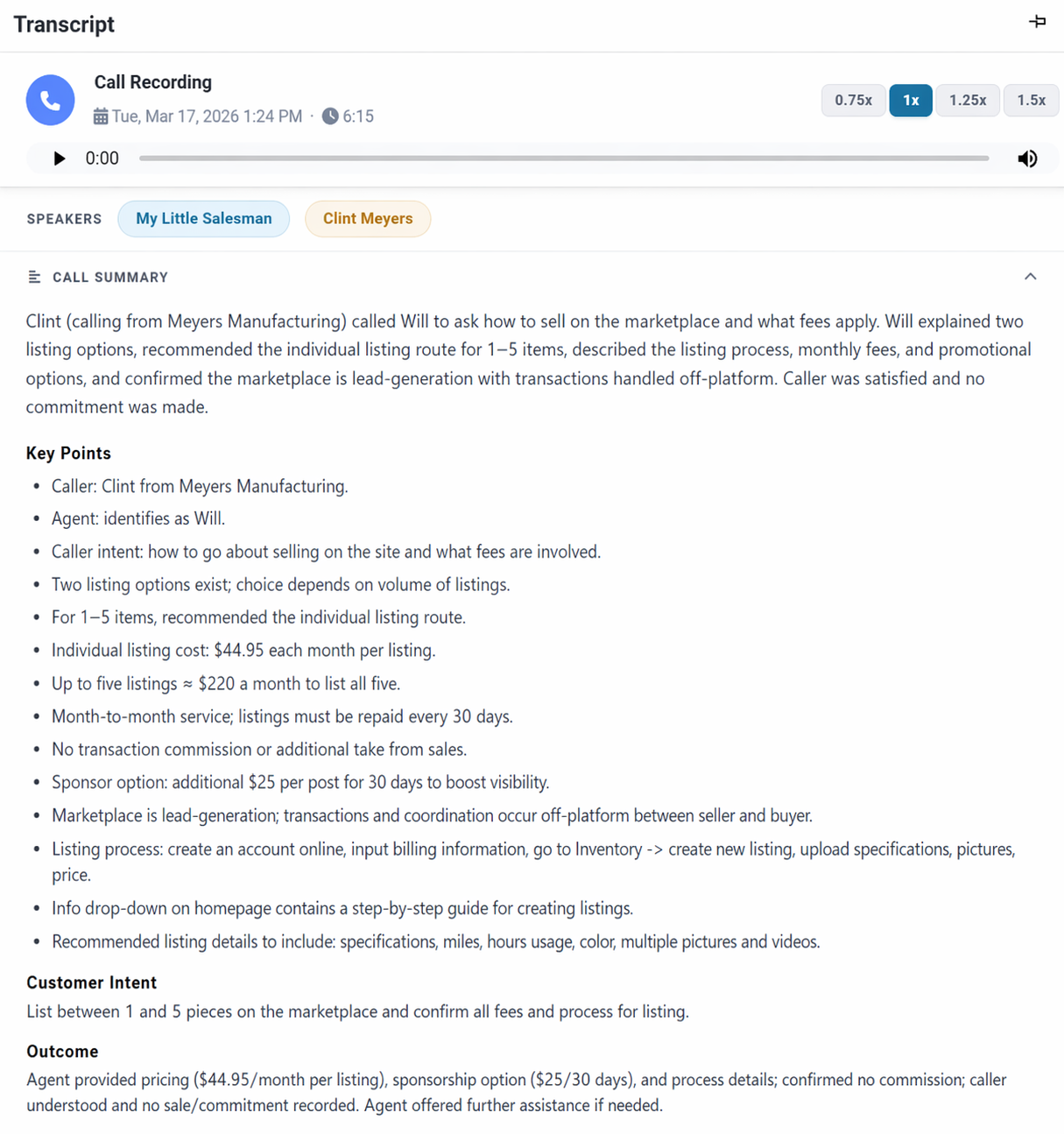
Follow-up Items
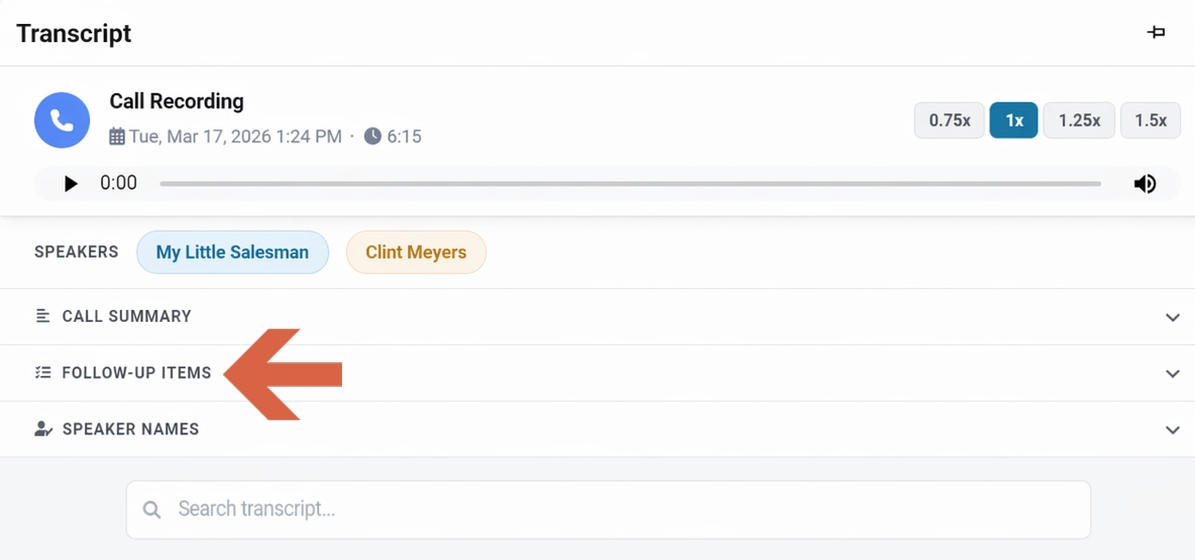
Under "Follow-up Items", action items and next steps are automatically extracted from the conversation, giving your team a clear list of next steps to follow through on.
Speaker List
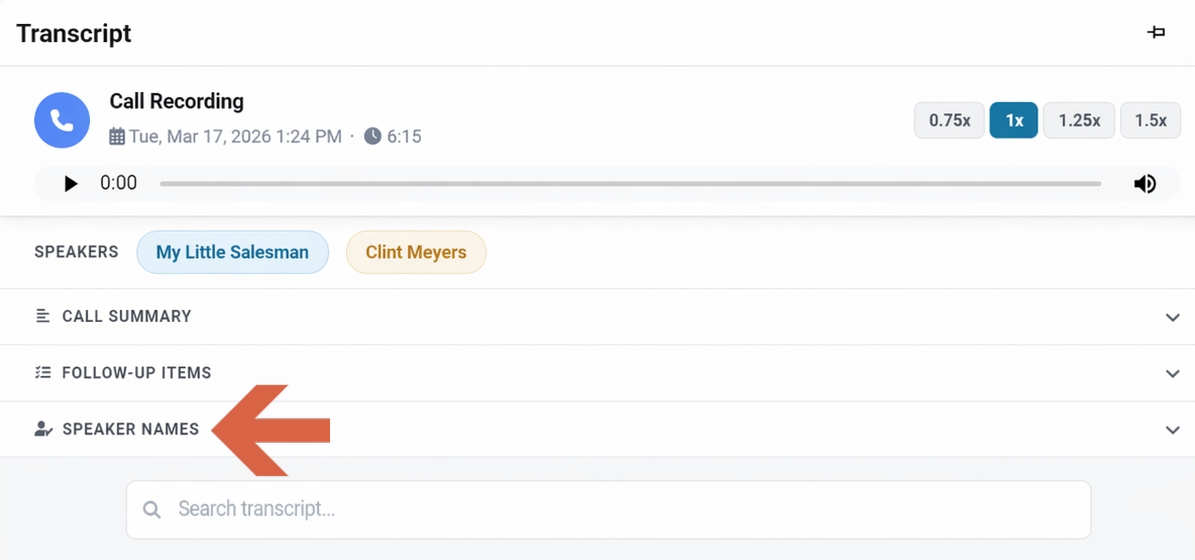
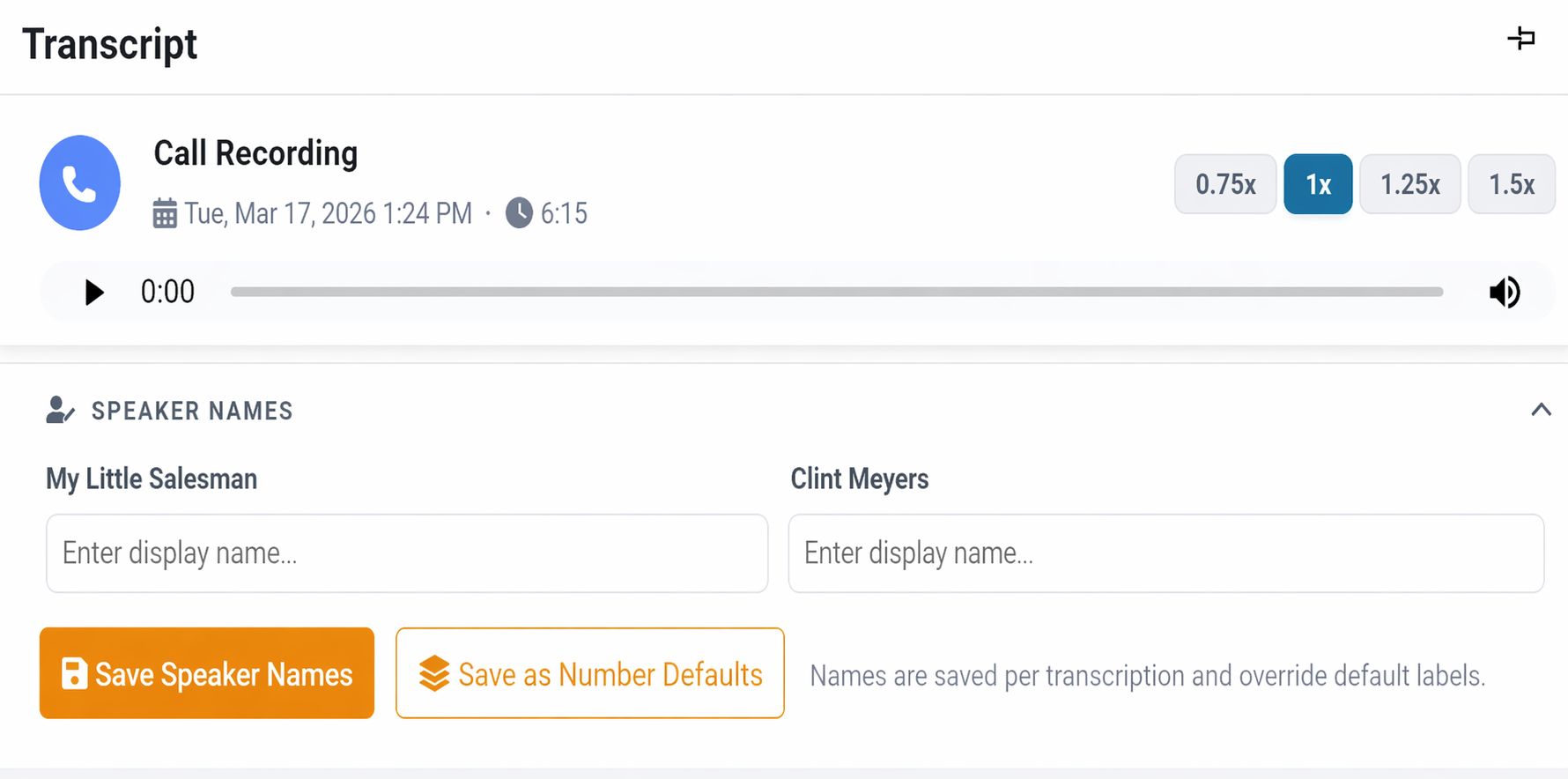
Each transcript includes a full speaker list. Under "Speaker Names", you can add or edit display names for any speaker, and those names are saved for that specific transcription, overriding the default labels.
If you’d like to take advantage of this feature, reach out through our online chat, contact your sales rep, or email us at support@dealershipdrive.com.
Questions and Suggestions?
Contact your Dealership Drive sales representative.